


Thunder Pro
2.731.00 Reviews
App Specs
- Version
- 1.0.17.45
- Updated On
- License
- Free
- Downloads
- 10,000+
- Developer
- Thunder Pro LLC
- Categories
- Business
- Platform
- Android
Screenshots

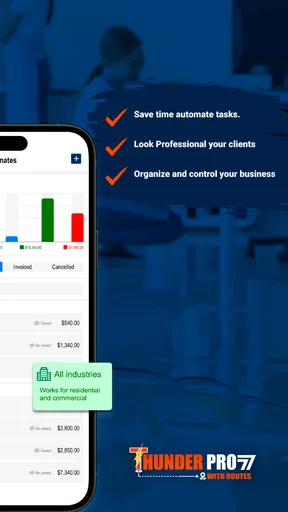


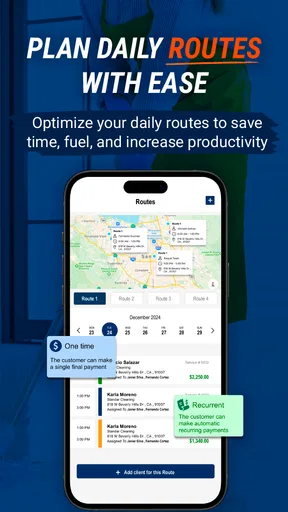


 Analysis by AppCompare
Running a cleaning business involves much more than getting a mop into the right hands. There are customer conversations, appointments, staff coordination, job details, and the constant need to keep small promises from becoming missed ones. I tested Thunder Pro with that practical reality in mind, and my impression is that it is aimed at owners who want a business-focused tool rather than a general notebook or a collection of unrelated utilities.
Thunder Pro is a free business app from Thunder Pro LLC, designed around the idea of managing a cleaning operation more professionally. Its public store presence is still relatively modest, with over ten thousand installs and an average rating of 2.7 from more than fifty ratings. That combination tells me to approach it with interest, but not blind confidence: it may suit a particular workflow, yet it is not a universally polished solution for every cleaning company.
The app is available for Everyone and runs on Android devices using version 7.0 or later. The current release is 1.0.17.45, which is useful context when deciding whether to install it on an older work phone. There are also optional purchases ranging from about thirty dollars to around seven hundred fifty dollars per item, so the word “free” should be read as free to install, not as a guarantee that every business-level capability costs nothing.
Building a dependable cleaning-business routine
I start this section by treating a dependable routine as more than a tidy schedule: it is a way to keep customer instructions, job changes, and follow-ups from slipping between conversations. I would first decide which updates belong in the app and who is responsible for making them, then use that boundary to make the next part of the workflow easier to repeat.
Start with one complete job, not the whole company
My first recommendation is to avoid entering every client, worker, and recurring task in one long session. A better starting point is one realistic job from beginning to end. Choose a regular customer, record the information you actually use, and follow that job through the same steps you would during a normal workday. This exposes friction much faster than filling the app with sample information.
For a small operator, the basic routine can be simple. Open the app before the day begins, review the work that needs attention, check the details for the next customer, and update the record immediately after the visit. The important habit is not merely opening Thunder Pro; it is treating it as the place where the latest version of the job lives. If you continue keeping one schedule in a paper notebook, another in a messaging app, and a third in the business app, confusion will remain even if the software itself is useful.
A realistic example would be a cleaner with three appointments on a busy weekday. Before leaving home, I would use the app to review the first address and the requested service, then check the next booking before finishing the current one. If a customer changes the scope of work, I would update the relevant record while the conversation is still fresh. That small discipline is more valuable than trying to discover every option on the first day.
Worth Reading Before You Choose

Flipboard Shows What News Apps Must Do Beyond the Feed

Switching to Android Auto Means Rethinking Your Driving Routine

Google Calendar Makes a Crowded Week Easier to Manage

Ludo King Makes the Most of the Minutes Between Plans

Baby Panda World Brings Quick Play to Modern Phones, but Its Game Library Feels Busy

ESPN’s Live Game View Makes Following Close Games Easier
Separate customer facts from temporary job notes
One practical distinction matters in a cleaning business: permanent customer information is not the same as a note for today. A preferred entry method, recurring service expectation, or important household instruction should not be mixed casually with a one-time request such as “clean the inside of the oven this visit.” Keeping those ideas separate makes future visits easier to understand and reduces the risk of treating an old instruction as a current promise.
I would also use consistent wording. Instead of writing “big clean” for one client and “deep service” for another, choose a small set of descriptions and stick with them. This is not a glamorous feature, but it makes searching, reviewing, and handing work to another person more reliable. The app becomes more useful when the information inside it follows a repeatable pattern.
Make the end-of-job update part of the service
The most effective workflow is usually the one that happens immediately, not the one that looks perfect in theory. After each appointment, spend a short moment recording what changed, what needs follow-up, and whether the next visit requires special preparation. Delaying this until the evening creates a memory test, especially when several homes have similar instructions.
I found this habit particularly important for owners who also do the cleaning themselves. When the owner is busy, administration tends to be postponed. A quick update at the point of work protects the business from forgotten details and makes the next morning less stressful. Thunder Pro is best treated as a working log, not as a digital archive that receives attention only when something goes wrong.
Decide who should use the account
Before inviting an employee or contractor into the process, decide what information that person genuinely needs. A cleaner may need job instructions and timing, while the owner may need a broader view of customers and business decisions. The safest operational habit is to share only what supports the task and to avoid placing sensitive customer information in casual notes.
I would also establish a simple rule for updates: whoever completes the job records the result, while the owner handles changes to the ongoing customer arrangement. Even if the app does not replace a formal staff-management system, this division prevents multiple people from rewriting important details without a clear reason.
Settings worth checking before daily use
After the first job is entered, I would inspect the app’s available settings instead of accepting the initial setup without thought. The useful checks are the ones that affect daily attention: how the app presents work, how notifications behave, and whether the device is showing information in a way that is comfortable to read while moving between jobs.
Notification choices deserve special care. Too few reminders can make a scheduling tool easy to forget, while too many alerts turn every small change into an interruption. I prefer a setup that draws attention to appointments and genuinely time-sensitive changes, then leaves routine review to a planned morning and evening check. If Thunder Pro offers several notification controls on your device, adjust them after a few working days rather than trying to guess the perfect balance immediately.
It is also worth checking whether the phone’s system settings are limiting background activity or notifications. A business app can appear unreliable when the real issue is aggressive battery management. On an older Android device, I would confirm that the app is allowed to notify normally and that the screen remains readable in the conditions where the work actually happens. These are unglamorous checks, but they often determine whether a tool becomes part of a routine.
Use a consistent naming system
Settings are only half the preparation. The way information is named can save more time than repeatedly opening menus. I recommend a format that makes the customer and service immediately recognizable, especially if several appointments occur on the same day. Avoid decorative labels that make sense only to the person who created them.
For recurring work, use the same description every time unless the scope truly changes. If a customer adds a special request, record it as a specific variation rather than silently changing the standard service name. This creates a clearer history and helps prevent accidental underquoting or forgotten extras during future conversations.
Another useful habit is to review old entries periodically. Remove obsolete instructions from your active routine or clearly mark them as no longer relevant. A crowded record can be as damaging as an empty one because the cleaner has to decide which detail still applies while standing at the property.
Faster patterns for owners who repeat the same work
Experienced users do not necessarily use more features; they reduce the number of decisions they make. With Thunder Pro, I would build a short sequence for opening the day, handling a job, and closing the day. The sequence should be identical most of the time, with exceptions only when a customer or employee needs something different.
My preferred pattern would be: review the day, open the next job before leaving the current one, confirm any unusual instruction, complete the work, and record the outcome immediately. This avoids the common mistake of waiting until the end of the route and then trying to reconstruct what happened. It also gives the owner a clearer picture of what still needs attention.
For a team, the same pattern can be taught in plain language. “Check before leaving, update after finishing” is easier to follow than a long list of administrative rules. The app then supports a business habit rather than becoming another task that only the owner understands.
Use the phone as a deliberate work station
Because this is a mobile app, the phone itself becomes part of the workflow. I would keep the device charged before a route, use a readable display setting, and avoid opening the app for the first time while standing outside a customer’s door. Preparing the phone at home or in the vehicle makes the process calmer and reduces rushed mistakes.
A useful shortcut is not necessarily a special button inside the app. It can be a fixed place on the home screen, a regular review time, or a saved phone routine that makes Thunder Pro easy to reach. The goal is to remove hesitation. If opening the app requires searching through several screens, the owner is more likely to rely on memory or messages instead.
I would keep the app’s role narrow and clear. Use it for the cleaning business information it is meant to organize, while leaving personal notes and unrelated reminders elsewhere. Mixing private errands with customer work makes the business view harder to scan and weakens the value of a repeatable process.
Where the app may save the most time
The strongest potential benefit is centralization. A solo cleaner who currently writes appointments on paper and keeps customer instructions in scattered conversations may find a dedicated business app easier to maintain. The gain is not just speed; it is confidence that the relevant detail can be found without remembering which conversation contained it.
Thunder Pro may also help an owner prepare for delegation. Even if the company is currently one person, recording work in a consistent format creates a foundation that another cleaner can understand later. This is a more durable advantage than simply using the app as a private reminder, because the information becomes part of the business process rather than part of one person’s memory.
There is a trade-off, though. Centralization only works when updates are immediate and accurate. If the owner enters partial information, duplicates records, or continues using several competing systems, the app may add administration without removing uncertainty. The tool rewards consistency more than occasional bursts of organization.
Advanced limits to consider before committing
The public rating of 2.7, based on more than fifty ratings, is an important caution. It does not tell me that the app is unusable, but it does suggest that some users have encountered enough friction to rate the experience below average. I would therefore test the exact workflow your company needs before moving all business records into it.
The purchase range is another reason to proceed carefully. Optional items can cost from about thirty dollars to roughly seven hundred fifty dollars each, which is a meaningful difference for a small cleaning company. Before paying for anything, I would identify the specific problem the purchase is supposed to solve and compare that cost with the value of the time or organization it provides. Installing a free app is low risk; building a paid business system around it deserves more scrutiny.
I would be especially cautious if your operation needs sophisticated accounting, payroll, route optimization, inventory control, or detailed team permissions. A cleaning-business app can be useful without replacing those specialized systems. If your company already relies on an accounting platform, calendar, and staff-management service, Thunder Pro may work best as a focused operational layer rather than as the only application in the business.
Businesses with complicated scheduling should also test edge cases. Try changing an appointment, handling a one-off service, recording a customer with several properties, and updating a job after another worker has touched it. These situations reveal more than a smooth first appointment. If the app makes exceptions difficult to track, a spreadsheet or broader field-service platform may be safer for a growing team.
Who should choose it, and who should skip it
I can see Thunder Pro appealing to a solo cleaner, a family-run operation, or a small team that wants a dedicated place for customer and job information without immediately adopting an expensive enterprise system. It is also worth considering for someone who has outgrown paper notes but does not yet need a large collection of connected business tools.
I would hesitate to recommend it as the sole system for a larger company with many crews, complex territories, detailed financial reporting, or strict access requirements. Those businesses should compare it with established field-service and scheduling products that are built around dispatching, permissions, invoicing, and reporting. A general calendar may also be better for a very small operator who only needs appointment reminders and has no need for cleaning-specific organization.
The right choice depends on the cost of complexity. If Thunder Pro makes your current routine clearer, it can be worthwhile. If it forces you to duplicate information in several places or pay for capabilities you do not understand, the simpler alternative is probably better.
My verdict after using it as a working tool
Thunder Pro has a sensible audience: cleaning-business owners who want to turn scattered daily details into a repeatable routine. I like the idea of approaching it through habits rather than feature hunting. Start with one complete job, standardize names, review notification behavior, update records immediately, and test unusual cases before trusting it with the whole operation.
At the same time, I would not call it an automatic recommendation for every professional cleaner. The average rating is modest, the current version is still relatively early in the product’s life, and the optional purchase range makes careful evaluation important. Those factors do not cancel its usefulness, but they make a trial workflow essential.
My final advice is straightforward: install it if you need a dedicated business workspace and are willing to build consistent habits around it. Give it a real customer, a real route, and a real end-of-job update process before making a larger commitment. The best result comes from using Thunder Pro as one reliable source of truth, not as another place to copy information you already maintain elsewhere. For a small cleaning operation that matches that approach, it may become a practical part of the day; for a complex company needing deep automation, a more established field-service alternative is likely the wiser long-term choice.
Pros
- Boosts audio volume and clarity with simple controls.
- Works with music
- videos
- podcasts
- and many streaming apps.
- Preset sound profiles make switching audio styles quick.
- Compact interface is easy to use while playing media.
- Useful for devices with weak built-in speakers.
Cons
- Maximum volume can cause distortion on some phones.
- May drain battery slightly when audio processing stays active.
- Compatibility can vary across Android and iOS devices.
- Some features may require a premium upgrade or subscription.
- Using high volume for long periods may damage hearing or speakers.
FAQs for Thunder Pro
What is Thunder Pro, and what can I use it for?
Thunder Pro is generally presented as a utility or entertainment application, but its exact purpose can vary depending on the developer and platform listing. Before downloading, check the official store description, screenshots, supported devices, and recent update notes. These details will confirm whether the version available on Android or iOS matches the features you expect and whether it is suitable for your needs.
Is Thunder Pro free to download and use?
Thunder Pro may be available as a free download, although some features can require in-app purchases, a subscription, or an upgraded version. I recommend reviewing the pricing section carefully before starting the app, especially if it offers a trial period. Also check whether advertisements, optional premium tools, or recurring payments are included, since these conditions can differ between Android and iOS.
Is Thunder Pro safe and trustworthy to install?
The safest way to install Thunder Pro is through the official Google Play Store or Apple App Store rather than an unofficial APK or third-party website. Before installation, verify the developer name, permissions, privacy policy, user reviews, and latest update date. Be cautious if the app requests access that seems unrelated to its main purpose, such as contacts, messages, or extensive background activity.
What permissions and device requirements does Thunder Pro need?
The permissions required by Thunder Pro depend on the features it provides and the operating system on your phone. It may need access to storage, notifications, the internet, or other device functions. Review the permissions shown on the download page and after installation. You should also confirm the minimum Android or iOS version, available storage, and whether the app works properly on tablets or older devices.
Does Thunder Pro work offline, and can I cancel or remove it easily?
Some functions of Thunder Pro may work without an internet connection, while online features, account synchronization, advertisements, or premium verification may require connectivity. Test the app in both situations if offline access is important to you. If you decide it is not suitable, you can normally uninstall it from your device, but deleting the app may not automatically cancel an active subscription.


